The proof-of-wake alarm for iPhone

The alarm clock that makes you work out.

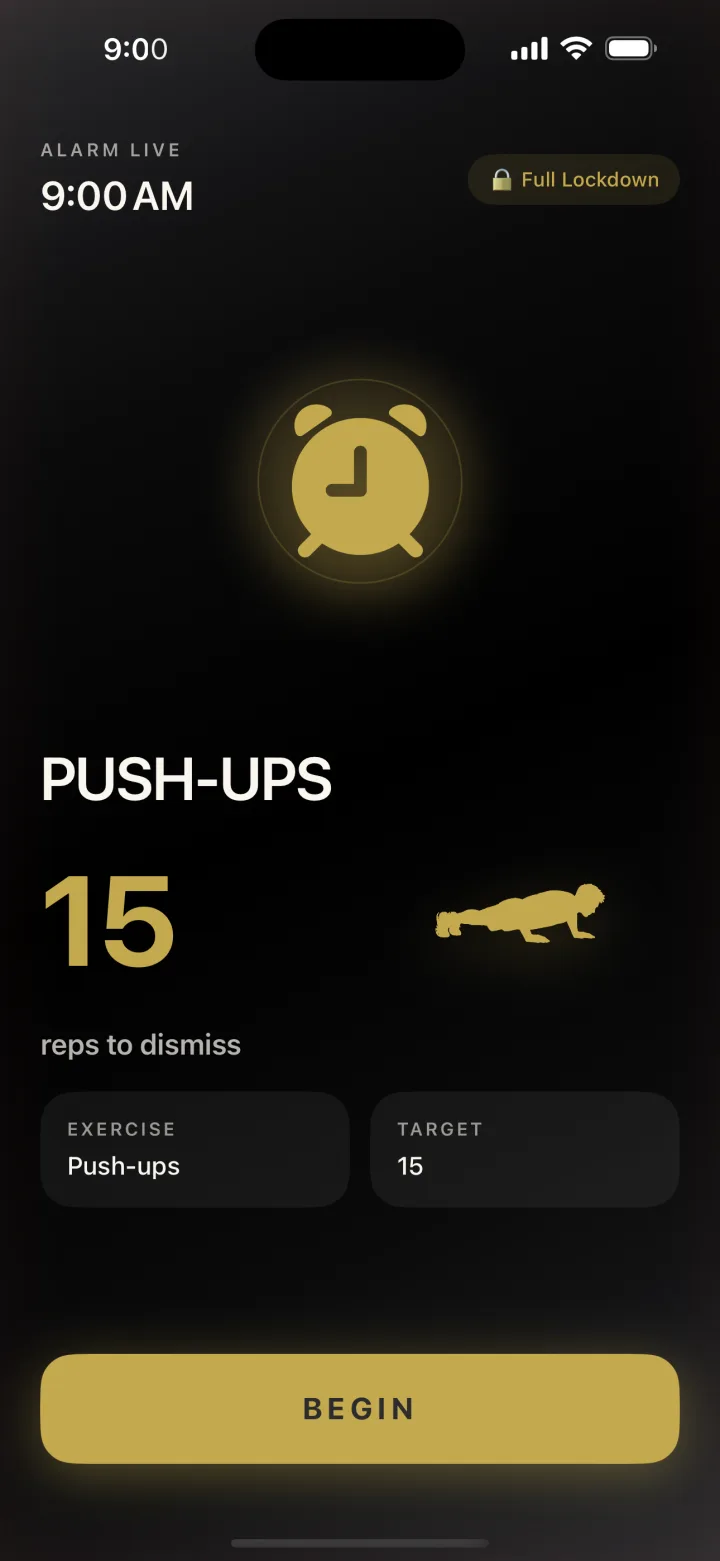
No snooze button. No tap-to-dismiss. When the alarm fires, your camera counts your push-ups, squats, or jumping jacks — and it only goes quiet when your reps are done. Wake up early, move first, and win the morning before it starts.

No snooze button Camera-verified reps 100% on-device — nothing uploaded
RiseReps workout alarm firing at 9:00 AM requiring 15 push-ups to dismiss
How it works

How the workout alarm works

Set it the night before. Move your body when it goes off. Watch your wake-up streak compound.

Step 01

Set your alarm.

Pick the time, the exercise, and how strict you want it. Lockdown mode hides every other app until you finish.
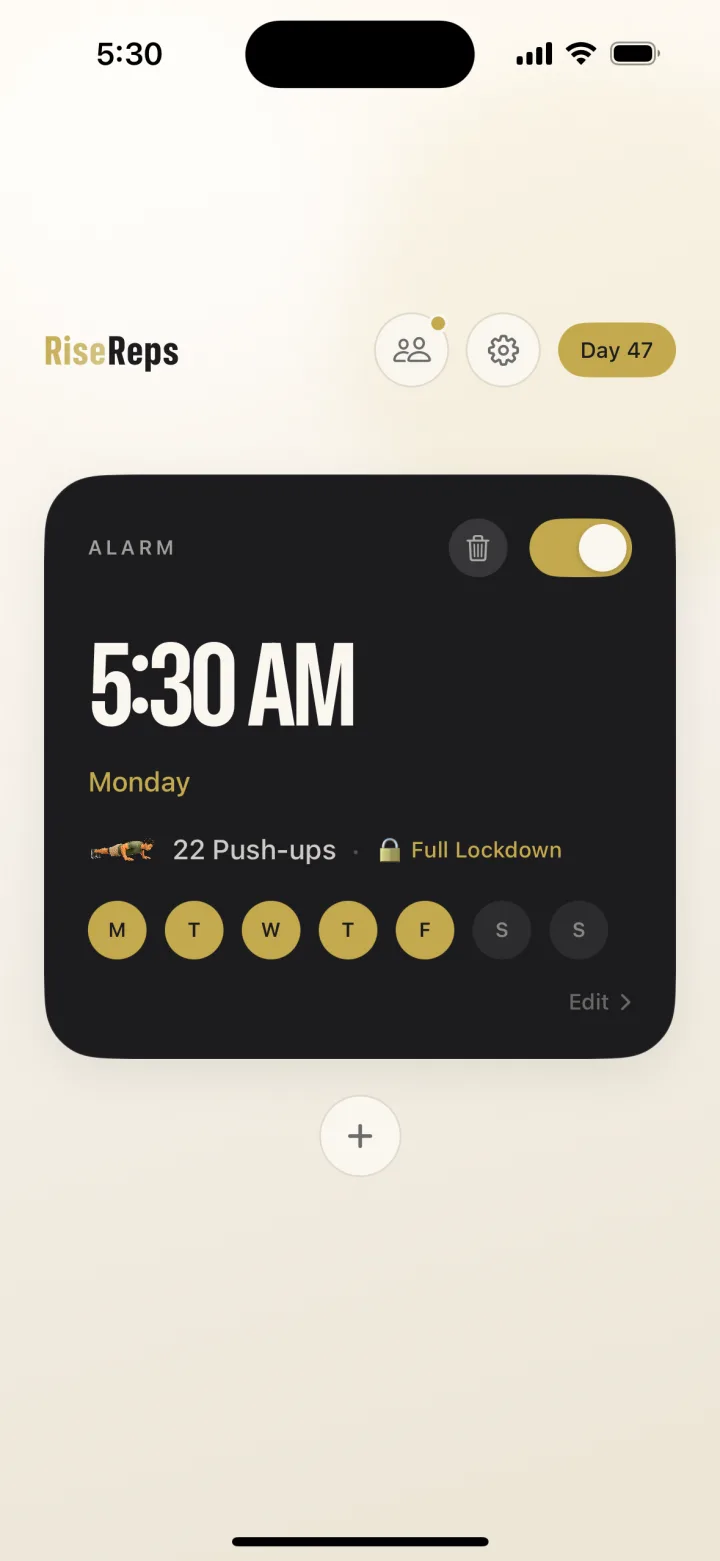
RiseReps home screen with a 5:30 AM alarm set for 22 push-ups in Full Lockdown mode
Step 02

Do the reps.

The alarm fires. The camera counts each rep using on-device pose detection. No fake taps. No shortcuts.
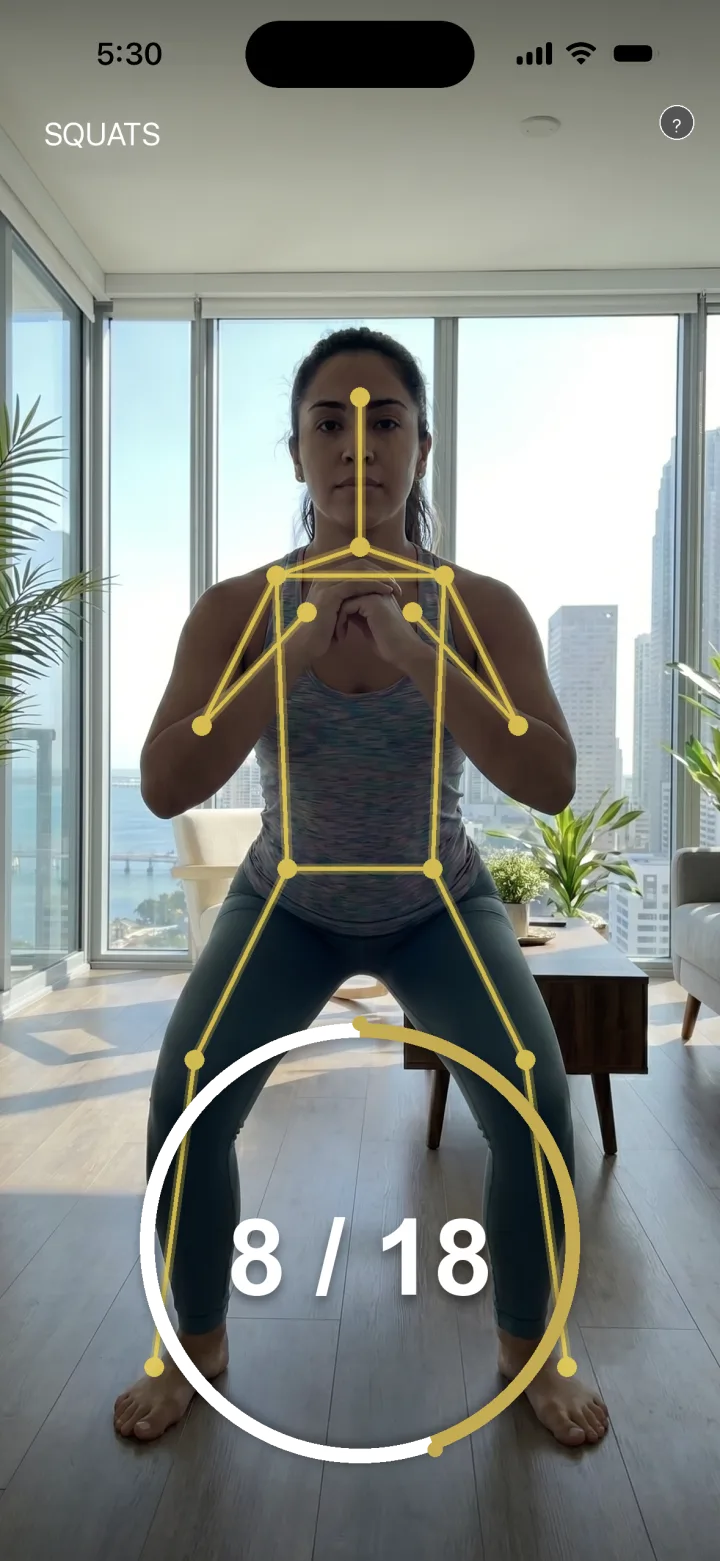
RiseReps camera counting squats in real time with body pose tracking overlay
Step 03

Earn the day.

Reps verified. Alarm off. Streak protected. You start the day already on the board.
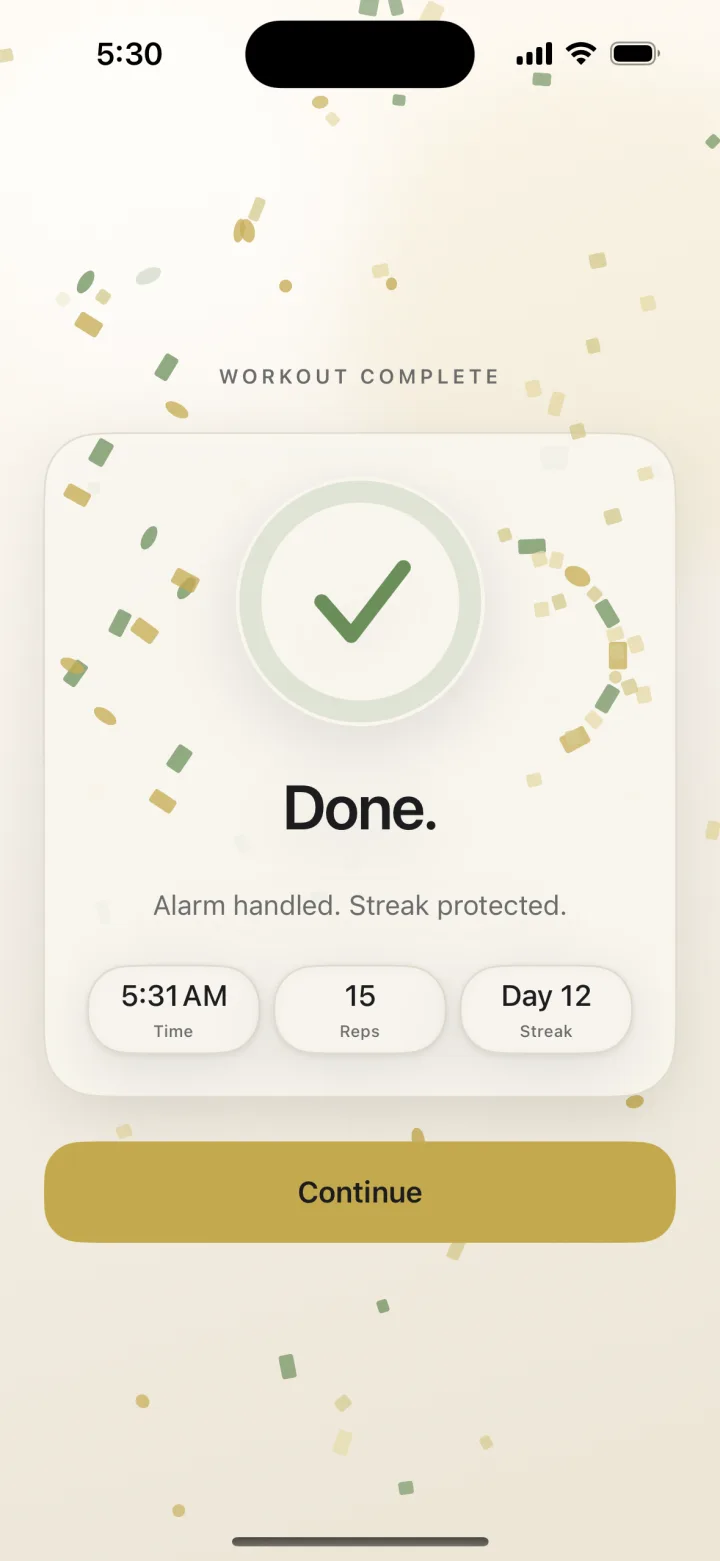
RiseReps workout complete screen showing 15 reps done and a 12-day streak
Pick your wake-up

Three exercises. Counted by your camera.

Push-ups, squats, or jumping jacks — you choose the movement and the rep count. Built-in progression raises the bar each week, so the habit grows with you.

Push-upsCounted by camera
SquatsCounted by camera
Jumping jacksCounted by camera
Proof-of-wake

A no-snooze alarm built for heavy sleepers.

Most alarm apps reward weakness — a snooze button, a swipe, a math puzzle you can solve half-asleep from bed. RiseReps removes the negotiation entirely: the only way out is through your reps.
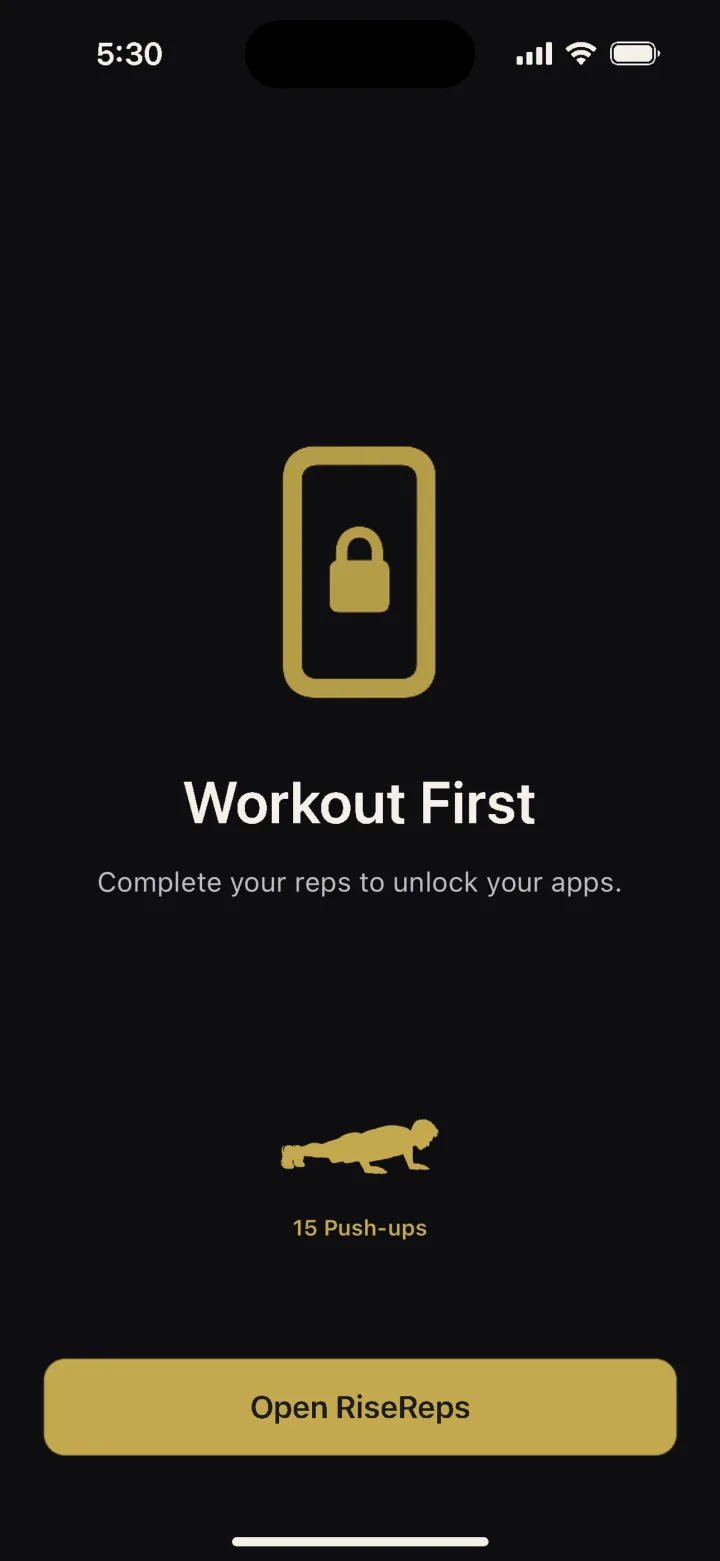
  • Camera-verified reps using on-device pose detection.
  • Persistent mode re-fires every 60 seconds if you bail.
  • Optional Full Lockdown blocks other apps until you finish.
RiseReps Full Lockdown screen blocking other apps until the wake-up workout is complete
Momentum, made visible

Watch your wake-up streak grow.

Every morning logs itself. Reps, wake time, completion rate, longest streak — the feedback loop that turns one good morning into a morning routine.
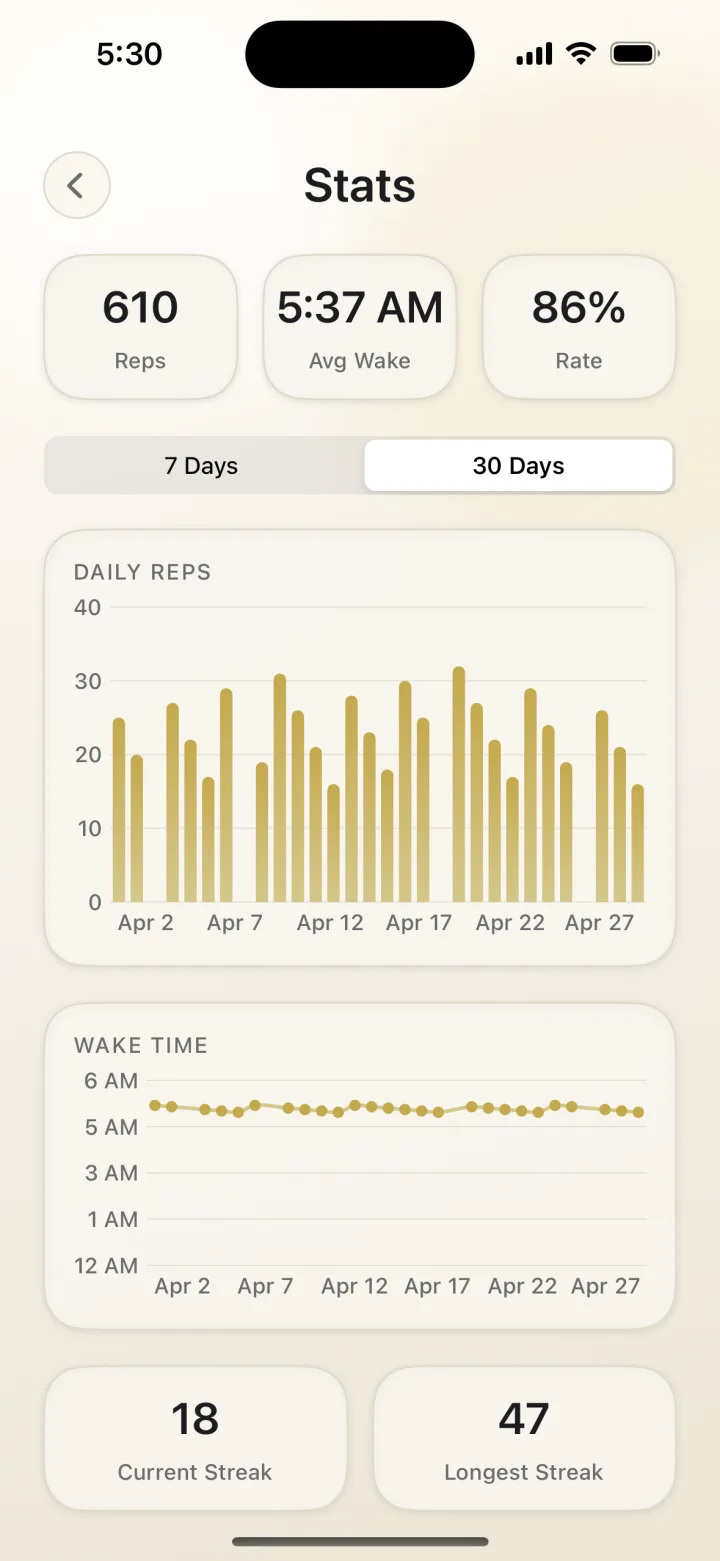
  • Daily reps and wake-time charts at a glance.
  • Completion rate tells you how reliable you really are.
  • Current and longest streak — the only two numbers that matter.
RiseReps stats screen showing 610 total reps, 5:37 AM average wake time, and 86% completion rate over 30 days
Built-in accountability

One partner. Zero excuses.

Pair with a friend and your stats sync automatically. They see your streak. You see theirs. One clean nudge per day when someone needs to get moving.
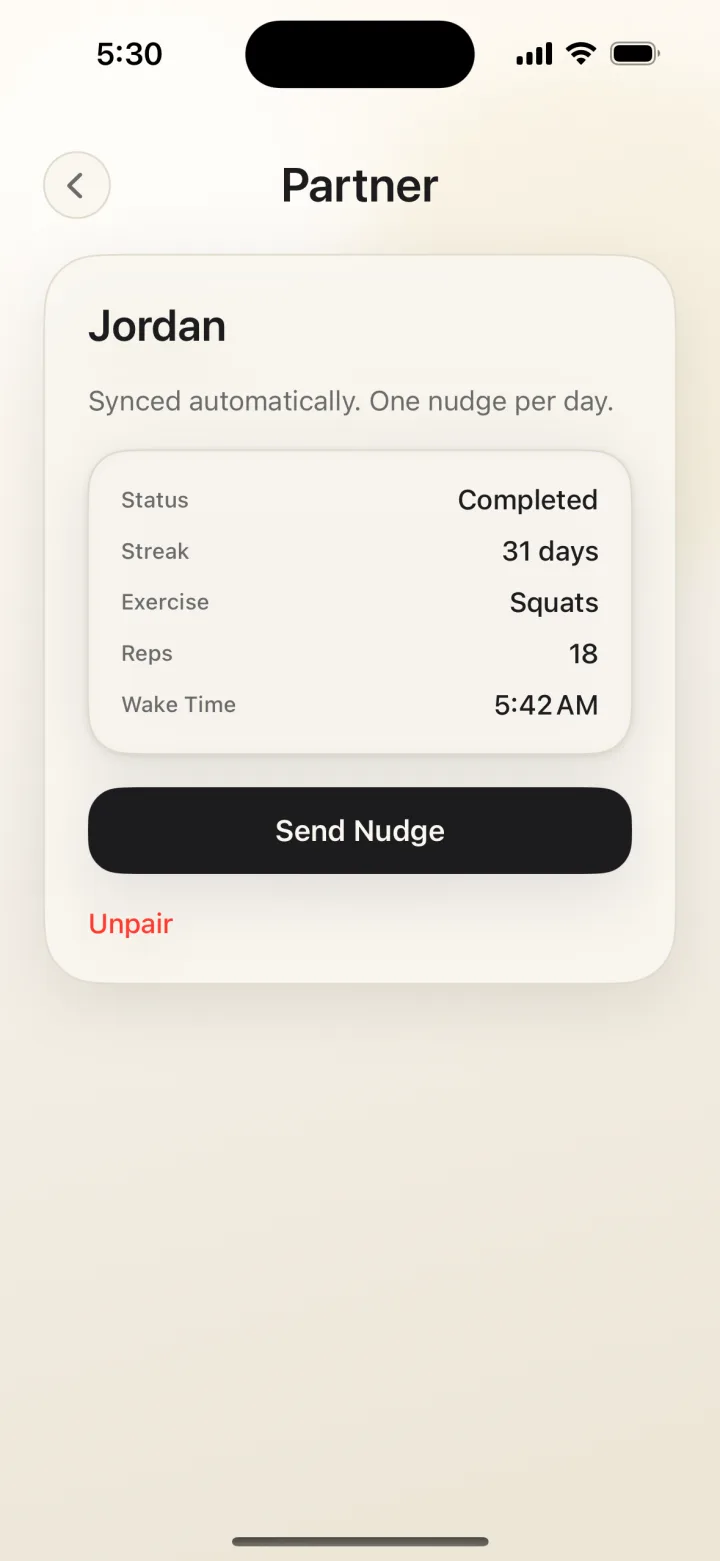
  • Shared streaks and synced wake stats.
  • One nudge per day — useful, never spammy.
  • Unpair anytime. No social feed, no leaderboard noise.
RiseReps accountability partner screen showing a friend's 31-day streak and a Send Nudge button
Questions

Frequently asked questions

What is RiseReps?
RiseReps is a workout alarm clock for iPhone. Instead of a snooze button, the alarm only turns off after your camera verifies that you completed a set of push-ups, squats, or jumping jacks. It's built for heavy sleepers, chronic snoozers, and anyone trying to wake up early and build a morning exercise habit.
How does the camera count my reps?
RiseReps uses on-device pose detection to track your body and count each rep in real time. Everything runs locally on your iPhone — no video or images ever leave your device, and nothing is uploaded or recorded.
Can I snooze or just tap to dismiss the alarm?
No. There's no snooze button and no tap-to-dismiss. The alarm keeps going until your reps are verified. Strictness modes go further: Persistent mode re-fires the alarm every 60 seconds if you close the app, and Full Lockdown blocks your other apps until the workout is complete.
Which exercises can turn off the alarm?
Push-ups, squats, or jumping jacks. You pick the rep count, and built-in progression can automatically increase your reps each week so the habit keeps growing with you.
Is RiseReps good for heavy sleepers?
Yes — that's exactly who it's built for. Physical movement is the most reliable way to fully wake up. Because dismissing the alarm requires real, camera-verified exercise, you can't half-wake, tap something, and fall back asleep.
How is RiseReps different from Alarmy, Wayk, or math-problem alarms?
Mission alarms use puzzles, math problems, QR codes, or photo missions — tasks you can do half-asleep from bed. RiseReps requires verified physical movement: the camera watches you complete real reps with on-device pose detection, so your body is actually up and moving before the alarm stops.
Is RiseReps free?
RiseReps is free to download on the App Store and includes a free trial, with affordable monthly and annual plans after that. The annual plan works out to just a few dollars per month.
Earn your morning

Stop negotiating with your alarm.

Set it tonight. Move tomorrow. Watch what changes when the first decision of your day is already won.

Free to download · Free trial included · iPhone only, for now