An alarm that makes you do push ups is exactly what it sounds like: your phone rings, and the only way to stop it is to get on the floor and do a set of push-ups while the camera counts them. There's no snooze button to hit and nothing to swipe. It sounds a little brutal. In practice, it's one of the few wake-up tricks your half-asleep brain can't talk its way around.
Most pages about this are just app store listings. This guide covers what they skip: how the camera knows you did a real rep, how to set up your phone so counting works at 6 AM, how many push-ups to start with, and what to do if push-ups aren't your thing.
Yes, there are iPhone alarms that only turn off after you do push-ups. Apps like RiseReps use your camera and on-device pose detection to count each rep, and the alarm keeps ringing until you finish the set. For best results, prop the phone 5 to 6 feet away with your whole body in frame, pick a rep count you could do on your worst morning, and turn off any escape routes like snooze.
Why push-ups beat puzzles as an alarm
Every "hard to dismiss" alarm is trying to solve the same problem. Right after you wake up, your brain is foggy and your bed is warm, and that's the moment the snooze button asks you to make a decision. Your groggy self wins that negotiation most mornings.
Puzzle alarms try to fix this by making you think. The trouble is that you can solve a math problem or shake your phone while lying flat on your back. After a week, you do it on autopilot and roll over. We ranked every type in Alarm Clock That Makes You Get Out of Bed: 7 Types Ranked, and the pattern was clear: anything you can finish in bed eventually gets beaten in bed.
Push-ups can't be done in bed. To stop the alarm you have to:
- Get out of bed and onto the floor.
- Move your whole body, which raises your heart rate.
- Stay at it for the 30 seconds or so a short set takes.
That last part matters more than it looks. In a 2021 lab study in Physiology & Behavior, 15 people were woken from a nap and then did either a 30-second all-out sprint on a bike, 30 seconds of easy cycling, or nothing. They felt least sleepy after the sprint, and sleepiest when they stayed still. Their scores on thinking tests didn't change, so exercise isn't a magic brain switch. But feeling awake enough not to crawl back under the covers is the whole job of an alarm.
How a push-up alarm counts your reps
This is the part people are most curious about, and most skeptical of. "Can't I just wave my arm at it?"
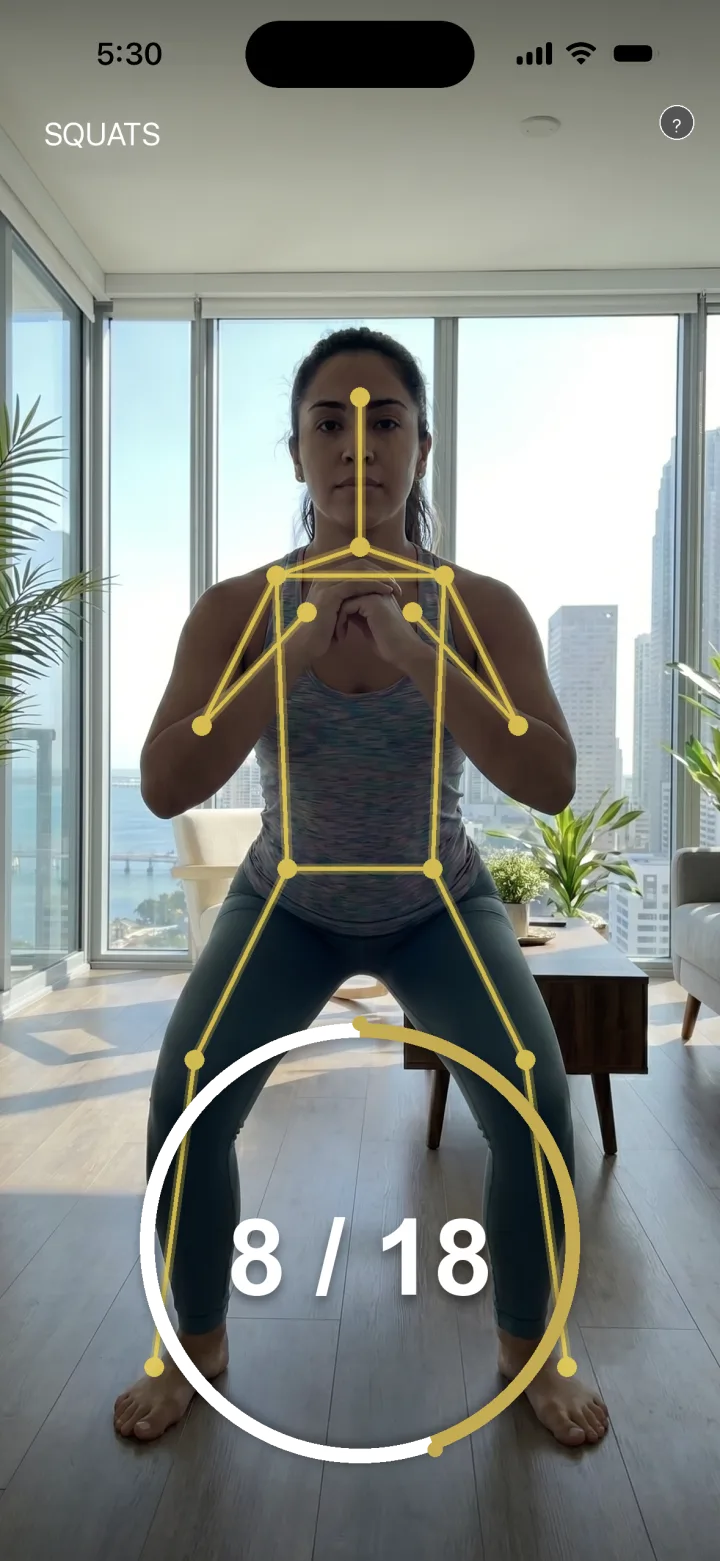
On iPhone, camera-based rep counters usually rely on body pose detection. Apple's Vision framework, for example, can detect up to 19 points on the body, including wrists, elbows, shoulders, hips, knees, and ankles, and Apple's own documentation lists fitness apps that track exercise as one use case. An app watches how those points move from frame to frame. A push-up has a recognizable pattern: shoulders and hips drop toward the floor together, elbows bend, then everything rises back up. When that full arc completes, it counts one rep.
A few things follow from this:
- Half reps tend not to count. If your chest barely moves, the motion doesn't complete the pattern. RiseReps' support page says it plainly: full range of motion counts more reliably than fast partial reps.
- The camera needs to see you. Apple notes that pose detection is most accurate when a large part of the body is in frame and the person fills at least a third of the image height. Baggy, robe-like clothing also lowers accuracy.
- It doesn't need to record anything. Pose detection can run entirely on the phone. In RiseReps, frames are analyzed in real time and discarded. Nothing is recorded, stored, or uploaded.
How to set up an alarm that makes you do push-ups
The alarm only works if counting works when you're groggy and the room is dim. Five minutes of setup the night before saves a lot of frustration at 6 AM.
1. Pick a permanent spot for your phone
Choose a place across the room where the phone can lean upright and see the floor where you'll do push-ups. A shelf, dresser, or cheap phone stand works. Keep it in the same place every night so there's nothing to figure out in the morning.
2. Get the distance and framing right
Stand about 5 to 6 feet from the camera so your whole body fits in frame. For push-ups, that means head to feet while you're horizontal, so do a test rep and check the preview. If your feet or head get cut off, move the phone back or raise it a little.
3. Fix your lighting
Pose detection works best with even light in front of you. Avoid having a bright window directly behind you, which turns you into a silhouette. If it's still dark when your alarm goes off, put a lamp on a smart plug or simply leave a lamp where you can switch it on in one step. Light also helps you wake up, so it does double duty.
4. Check notifications and Focus modes
An alarm you never hear can't make you do anything. For RiseReps, the support page recommends confirming that notifications, sounds, and Time Sensitive Notifications are allowed, that no Focus mode is silencing the app, and that your ringer isn't muted.
5. Close the escape routes
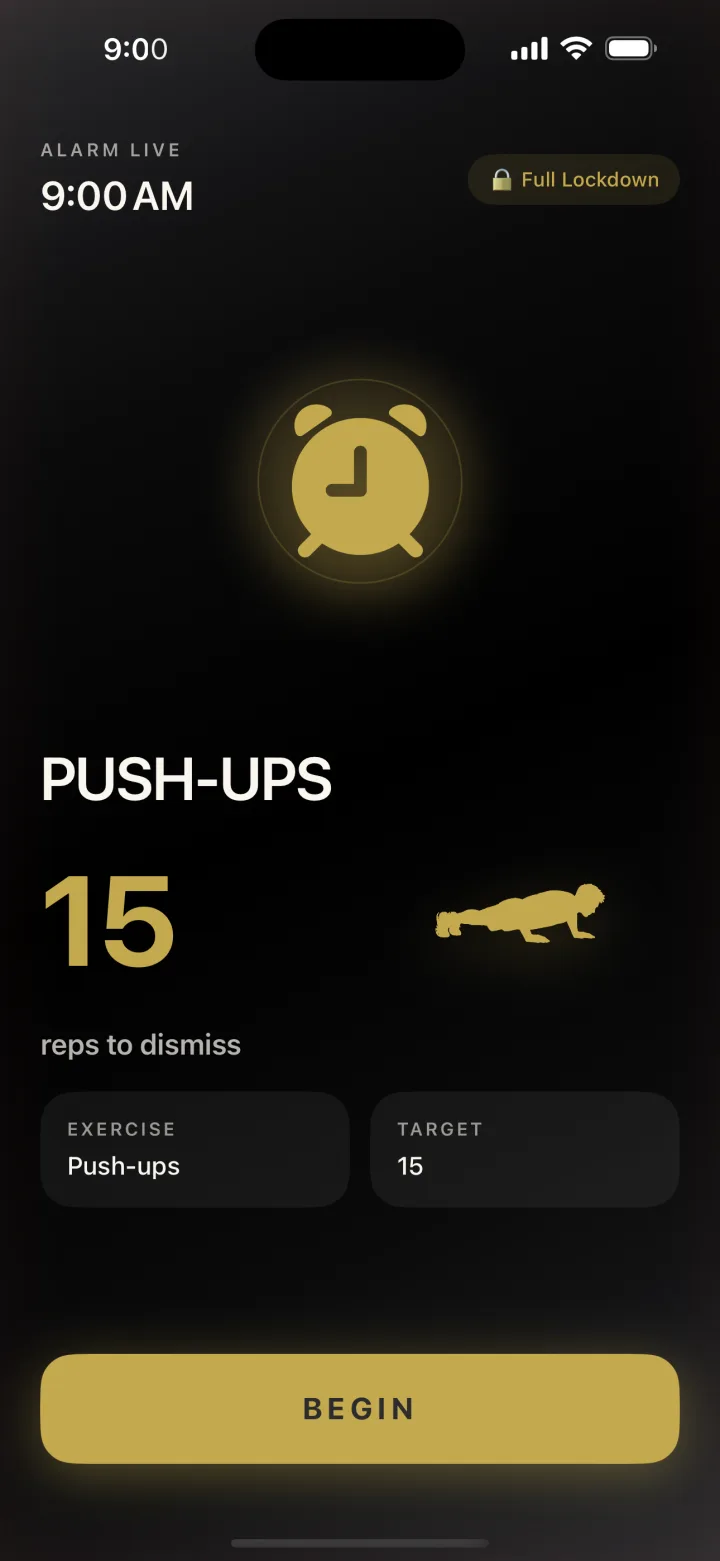
A push-up alarm is only as strong as its weakest exit. Look for an app with no snooze and no tap-to-dismiss, and use the strictest settings you can live with. In RiseReps, Persistent mode re-fires the alarm every 60 seconds if you close the app, and Full Lockdown blocks your other apps until the workout is done.
Push-ups, squats, or jumping jacks, counted by your camera with on-device pose detection. No snooze button. Nothing recorded or uploaded.
How many push-ups should your alarm ask for?
Fewer than you think. The goal is to get you up every single morning, not to win a fitness test. A number that feels easy at 8 PM can feel impossible at 6 AM, and if the alarm feels impossible, you'll start looking for ways around it.
A simple rule: pick a number you could do sick, tired, and in a bad mood. For many people that's somewhere around half of what they can do fresh. If you can do 20 good push-ups in the afternoon, start the alarm at 10. If you can do 6, start at 3 and let the habit come first.
| If you can do this many (fresh) | Start your alarm at | Why |
|---|---|---|
| 0 to 5 | Squats or jumping jacks instead | Wake up first, build push-ups at another time of day |
| 6 to 15 | 3 to 6 push-ups | Short enough that you'll never skip it |
| 16 to 30 | 8 to 12 push-ups | Enough to raise your heart rate, not enough to dread |
| 30+ | 15 to 20 push-ups | A real wake-up set that's still under a minute |
These are starting points, not science. Adjust after a week. RiseReps has built-in progression that can raise your reps each week, and you can override the target per alarm if a week feels too hard.
Small sets add up. Ten push-ups a morning is 70 a week and more than 3,600 a year, without ever "finding time" to train. And push-up ability is worth building. A 2019 study in JAMA Network Open followed 1,104 male firefighters for about 10 years and found those who could do more than 40 push-ups had far fewer cardiovascular events than those who could do 10 or fewer. To be fair about it: the men who did more push-ups also tended to have healthier risk factors overall, the results may not apply to women, and the authors didn't claim push-ups themselves prevent heart disease. It's a marker of fitness, not a cure.
Form beats speed: Mayo Clinic's push-up guidance boils down to keeping your body straight, your abs tight, and your movements smooth and controlled. If full push-ups are too much, Mayo shows knee and wall versions to build up to them.
Push-up alarm apps: your options
Camera-counted exercise alarms are a fairly new category, and a handful of iPhone apps now offer some version of it. Here's an honest look at the main approaches, based on each app's own description. Features change, so check the App Store listing before you download.
RiseReps
RiseReps is built around this one idea: the alarm stops only after your camera counts a full set. You can choose push-ups, squats, or jumping jacks. There's no snooze button and no tap-to-dismiss, plus Persistent mode, optional Full Lockdown, streaks and stats (reps, wake time, completion rate, longest streak), weekly rep progression, and an accountability partner who can send one nudge a day if you sleep in. Rep counting runs on-device. It's free to download with a free trial.
Best for: heavy sleepers and chronic snoozers who also want the alarm to double as a daily workout habit.
Pushy
Pushy is a newer, focused push-up alarm from a solo developer. According to its listing, the alarm can only be dismissed by doing push-ups on camera, with sit-ups and knee push-ups also available. It works offline and says no video is saved or uploaded.
Best for: people who want a simple push-up alarm and like having a knee push-up option built in.
Alarmy (squat mission)
Alarmy is the best-known "mission" alarm, with math problems, typing, photo, QR code, shake, walking, and squat missions. According to Alarmy's own mission guide, the squat mission counts reps with the phone's camera or motion sensor. Its list doesn't include a push-up mission.
Best for: people who want lots of different mission types in one app, and are happy with squats instead of push-ups.
Whichever you pick, judge it by one question: can I beat this from bed? If the answer is yes, it will eventually lose to your 6 AM self.
When push-ups aren't the right wake-up
Push-ups are a great alarm for a lot of people, but not everyone, and not every morning.
- Sore wrists or shoulders? Switch the alarm to squats. You still have to stand up and move, with no weight on your hands.
- Need to wake up fast? Jumping jacks get your heart rate up quickest. Just maybe not if someone's sleeping below you.
- Sharing the room? Push-ups are nearly silent, which makes them one of the better choices next to a sleeping partner.
- Injured, pregnant, or managing a heart condition? Check with your doctor before turning any workout into an alarm.
- Chronically short on sleep? No alarm fixes running on 5 hours. Our guide on how to stop hitting snooze starts with protecting your 7 hours for a reason.
FAQ
Is there an alarm that makes you do push-ups to turn it off?
Yes. Several iPhone apps only stop ringing after you do push-ups on camera. RiseReps, for example, uses on-device pose detection to count each rep and keeps ringing until the full set is done. There's no snooze button and no tap-to-dismiss.
How does a push-up alarm know I actually did the push-ups?
It uses your phone's camera and body pose detection to track points like your shoulders, elbows, and hips. A rep counts when your body completes the full down-and-up motion, so tapping the screen or waving an arm doesn't work. In RiseReps this runs on the phone and nothing is recorded or uploaded.
Where should I put my phone for a push-up alarm?
Prop it upright across the room, about 5 to 6 feet away, so your whole body fits in frame while you're in push-up position. Use even light in front of you and avoid a bright window behind you. Do a test rep the night before to check the framing.
How many push-ups should I set my alarm for?
Pick a number you could do on your worst morning, often around half of what you can do fresh. For many people that's 5 to 10 to start. Raise it once the habit sticks; RiseReps can increase your reps each week automatically.
What if I can't do push-ups?
Choose a different exercise. RiseReps also lets you turn off the alarm with squats or jumping jacks, which still get you out of bed and moving. You can build up to push-ups at another time of day with knee or wall push-ups.
Sources
- Kovac K. et al. (2021). The impact of a short burst of exercise on sleep inertia. Physiology & Behavior. Abstract.
- Yang J. et al. (2019). Push-up exercise capacity and cardiovascular disease events among male firefighters. JAMA Network Open. Summarized by The Cooper Institute.
- Apple Developer Documentation. Detecting human body poses in images.
- Mayo Clinic. Push-ups (video).
- Alarmy. How to choose the best Alarmy mission; AppGoblin. Pushy - Push Ups Alarm.