You turned the volume all the way up before bed. The alarm went off at a polite murmur anyway, or started loud and then faded the second you reached for the phone. Now you're wondering if your iPhone is broken.
Usually it isn't. Your iPhone alarm volume isn't controlled by the volume you see when you press the side buttons during a video, and on newer iOS versions it may not even match your ringtone anymore. A couple of settings, one of them tied to Face ID, can quietly turn your alarm down. This guide walks through all of them, in order, and then tackles the bigger question: what to do when the alarm is loud and you still don't get up.
To change your iPhone alarm volume, open Settings > Sounds & Haptics. On iOS 27, go to Alarms and Timers, turn off Match Ringtone Volume and drag the slider. On iOS 26 and earlier, drag the Ringtone and Alerts slider. If it goes quiet when you look at it, turn off Attention Aware Features in Settings > Accessibility > Face ID & Attention. Sleep-schedule alarms have their own volume slider in the Clock app. Silent mode and Focus don't mute alarms.
iPhone alarm volume settings: where they live in iOS 27 and iOS 26
This is where most of the confusion starts. Apple changed the setup this year, and most guides online still describe the old one.
iOS 27: the alarm finally has its own volume
According to Apple's iOS 27 iPhone User Guide, the alarm volume now has its own section:
- Open Settings and tap Sounds & Haptics.
- Find Alarms and Timers.
- Turn off Match Ringtone Volume, then drag the volume slider to where you want it.
If you leave Match Ringtone Volume on, your alarm follows your ringtone level, so a ringer you turned down for a meeting also means a quiet alarm tomorrow. Turning it off is the single best change most people can make: a loud alarm and a quiet ringer, finally.
iOS 26 and earlier: alarm volume = ringer volume
On iOS 26 and older, there's no separate alarm slider. Go to Settings > Sounds & Haptics and drag the slider under Ringtone and Alerts. Apple's alarm support article notes that an alert plays as you drag, so you can hear the level change.
That means on these versions the answer to "is the iPhone alarm volume separate from the ringer?" is no. Whatever your ringer is set to, your alarm is too. If you need a quiet phone during the day and a loud alarm in the morning, you'll have to turn the ringer back up each night, or update to iOS 27 if your iPhone supports it.
The "Change with Buttons" switch
Right under that slider is Change with Buttons. Apple says turning it on lets your side volume buttons change the alarm volume. That sounds handy, and it is, until you press volume-down to quiet something late at night and accidentally turn your morning alarm down with it. If your alarm volume keeps drifting lower, this is the first switch to check. Turn it off, set the slider once, and leave it.
Sleep schedule alarms have their own slider
If your morning alarm is part of a sleep schedule from the Health app (it shows up at the top of the Clock app's Alarms tab), it doesn't follow the setting above. Per Apple's guide to the wake up alarm, open Clock > Alarms, tap Change next to the wake up alarm, scroll to Alarm Options, and drag the Alarm volume slider. Plenty of people fix their main alarm volume and never find this one.
Why is my iPhone alarm so quiet?
If the volume looks right and the alarm is still weak, one of these is usually behind it.
iPhone alarm goes quiet when you pick it up
This one confuses a lot of people, and it's a feature, not a bug. On iPhones with Face ID, Attention Aware Features let your iPhone check whether you're looking at it before dimming the display or "lowering the volume of some alerts." So the alarm blares, you lift the phone, Face ID sees your eyes, and the sound drops.
If you're a light sleeper, that's polite. If you're the kind of person who glances at the screen and falls back asleep, it's a problem. To turn it off: Settings > Accessibility > Face ID & Attention, then switch off Attention Aware Features. This is the most likely reason behind searches like "iPhone alarm quiet after first ring" and "iPhone alarm quiet when unlocked."
iPhone alarm quiet even though volume is up
Your media volume (what you see while playing music or video) is a separate thing. You can have media at full blast and the ringer, and so the alarm on iOS 26, near the bottom. Always check the slider in Sounds & Haptics, not the volume bar you see on screen. On iOS 27, also check that Match Ringtone Volume isn't dragging your alarm down with a quiet ringer.
The sound is set to a soft tone, a quiet song, or None
Each alarm has its own sound, set in the Clock app. Apple's support article says that if your alarm only vibrates, the sound may be set to None. To check, open Clock > Alarms, tap Edit, tap the alarm, then tap Sound. If you picked a song, remember it starts however the track starts. A song with a soft intro is going to be a soft alarm.
The speaker is muffled
A phone face-down on a mattress, under a pillow, or in a thick case with lint packed into the speaker grille loses a lot of volume before the sound ever reaches you. This one isn't in any settings menu, which is why it gets missed.
iPhone alarm volume with headphones
If you fall asleep with AirPods or wired headphones connected, Apple says the alarm plays at a set volume through both the iPhone's built-in speakers and the headphones. So headphones shouldn't silence your alarm. But if you're wearing one earbud on the pillow side and the phone is buried in the duvet, it can still feel quiet.
Does the iPhone alarm go off on silent?
Yes. Apple states that Do Not Disturb, the Ring/Silent switch, and Silent mode don't affect the alarm sound. If you set Silent mode with the switch or the Action button, or turn on a Focus, the alarm still sounds. If your alarm is silent, look at the volume, the sound choice, and Attention Aware, not the silent switch.
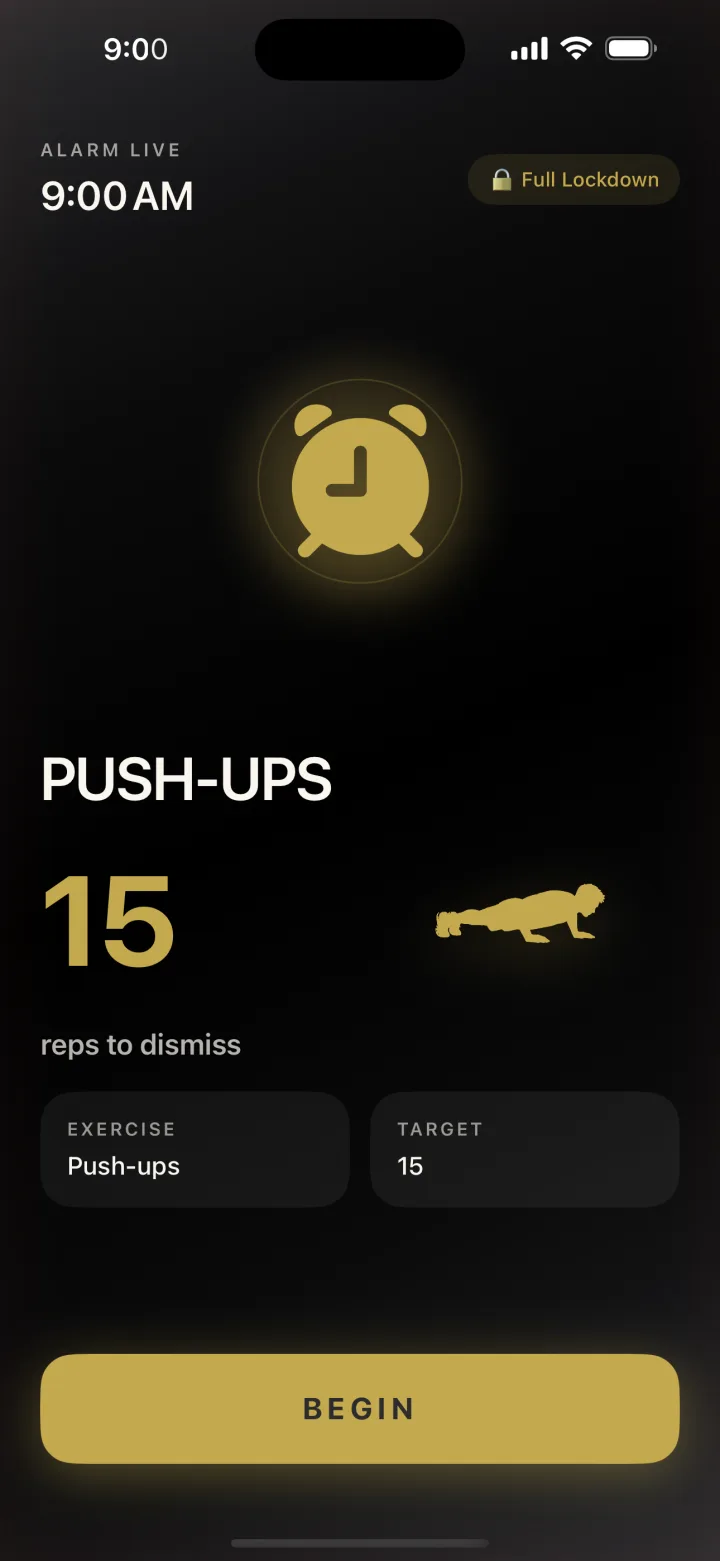
RiseReps only goes quiet when your iPhone's camera counts your push-ups, squats or jumping jacks. No snooze, no tap-to-dismiss, and Persistent mode re-fires if you bail. Nothing recorded or uploaded.
How to make iPhone alarm louder: 7 fixes, in order
Run through these once tonight and you'll know your alarm will actually sound tomorrow.
- Set the right slider. Settings > Sounds & Haptics. On iOS 27, turn off Match Ringtone Volume under Alarms and Timers and push the alarm slider up. On iOS 26 or earlier, raise Ringtone and Alerts.
- Turn off Change with Buttons if your alarm volume keeps going down on its own.
- Turn off Attention Aware Features (Settings > Accessibility > Face ID & Attention) so looking at the phone doesn't lower the alarm.
- Check your sleep-schedule alarm separately: Clock > Alarms > Change > Alarm Options > Alarm volume.
- Pick a louder, harsher sound. In Clock, tap Edit, tap the alarm, then Sound. Preview a few and choose one that starts loud, not one that eases in.
- Unblock the speaker. Put the phone on a hard surface, speaker facing the room, out of the bedding. Gently clear lint from the grille.
- Test it. Set an alarm for two minutes from now, lock the phone, and walk to where you'll be sleeping. If you can't clearly hear it from bed, you won't hear it at 6 a.m.
How to make iPhone alarm louder than max
If the slider is already maxed and it's still not enough, there's no secret setting that pushes the speaker past 100%. Be wary of pages promising a "volume boost" hack. What you can change is everything around the volume.
Change the sound, not just the level
Not all sounds wake you equally at the same volume. In a 2009 study in the Journal of Sleep Research, Bruck, Ball, Thomas and Rouillard played different alarm signals to 39 young adults in deep sleep and raised the volume step by step. Low-pitched square-wave tones (400 and 520 Hz) woke people at significantly lower volumes than the other signals they tested. In plain terms: a low, buzzy, harsh tone can do more than cranking up a thin, high chime.
There's a different trade-off for how you feel after waking. A 2020 study in Clocks & Sleep by McFarlane, Garcia, Verhagen and Dyer tested alarms on people waking at home and found that a melodic alarm sound cut attention lapses compared to a control sound. It was a small study (10 people per group), so treat it as a hint, not a rule. One way to use both ideas: a harsh, low sound if you have trouble hearing the alarm at all, a melodic one if you hear it fine but wake up foggy. Our guide to sleep inertia goes deeper on that foggy part.
Rotate it before you tune it out
Hear the same tone every morning for a year and your brain starts filing it under "background noise." If you notice yourself sleeping through a sound that used to work, switch it for something you've never woken up to.
Move the phone, not just the slider
Distance and position matter. A phone on a hard nightstand facing you is louder at your ear than one wedged under a pillow. Across the room is even better, for a different reason we'll get to in a second.
Don't blast it into your ears
It's tempting to sleep in earbuds and pipe the alarm straight in. Go easy. NIOSH sets its recommended noise exposure limit at 85 dBA averaged over an 8-hour day. A short alarm isn't a shift on a factory floor, but very loud sound right next to your ears every morning isn't a great habit. Change the sound and the placement before you chase more decibels.
When louder still isn't enough
Here's the uncomfortable part. For a lot of people searching "how to make iPhone alarm louder," volume isn't the real problem. They hear the alarm fine. They just switch it off without really waking up, and don't remember doing it.
That's not a hearing issue. It's what your brain does in the first few minutes after waking, when judgment is at its worst and the bed is very persuasive. A louder alarm doesn't change that moment. It just makes the tap to stop it slightly more urgent. We break this down in why you sleep through your alarms, including which cause you've probably got.
Quick test: when you overslept, was the alarm off? If you never touched it, volume and sound are worth fixing. If it was off and you don't remember switching it off, the fix is making the alarm harder to stop, not louder.
Make the alarm harder to stop
The classic version is putting the phone across the room. It works because you have to stand up. It fails when you walk back to bed. A step further is an alarm that only stops once you've actually done something physical.
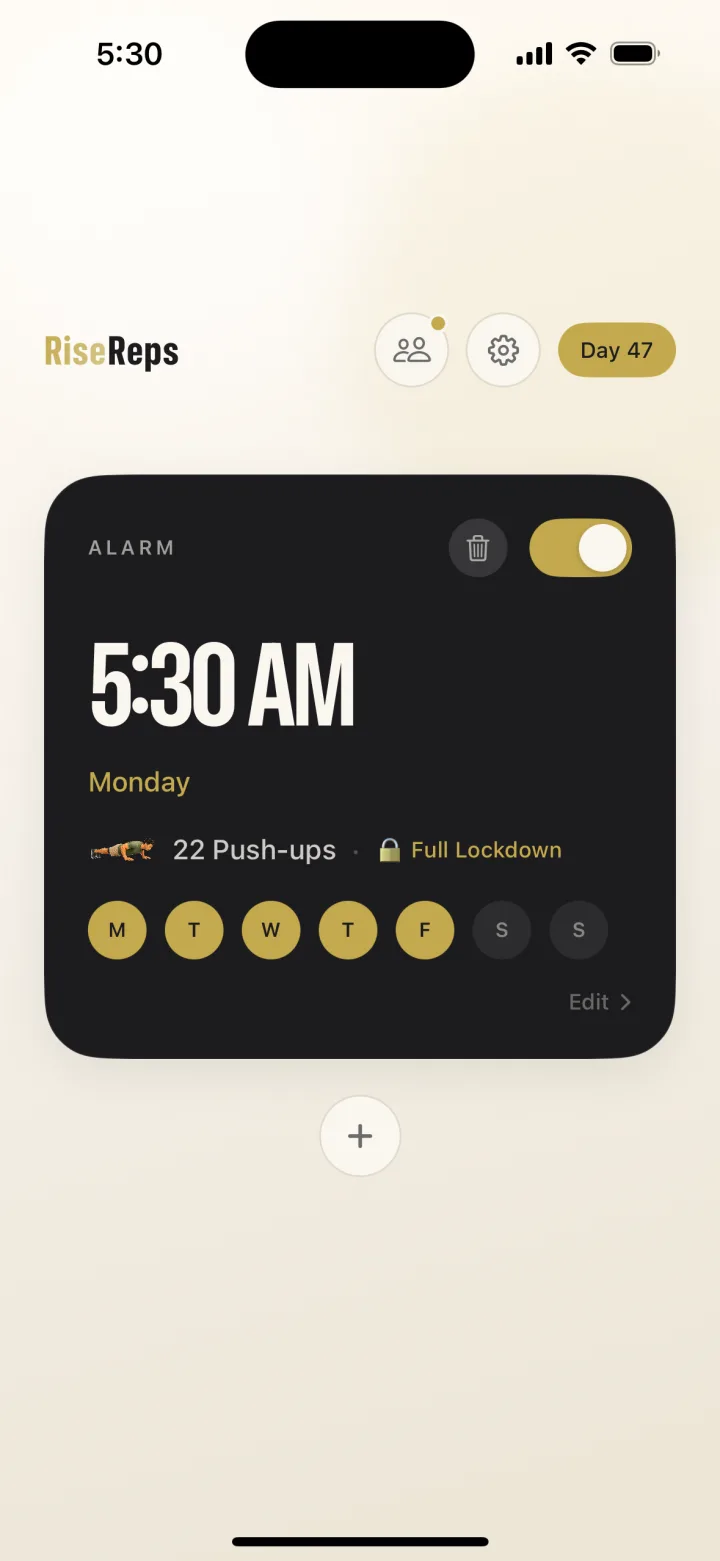
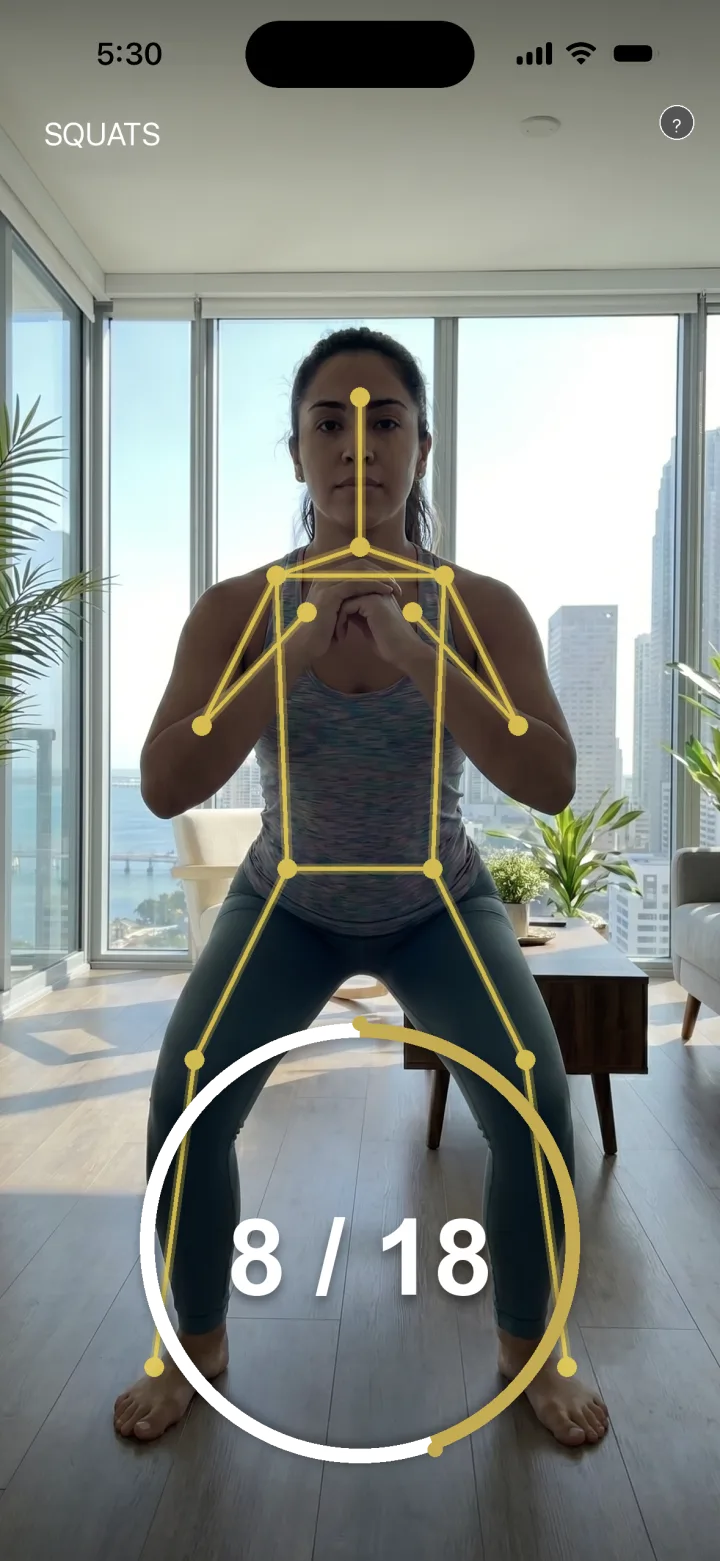
That's what RiseReps does. When the alarm fires, your iPhone's camera counts a set of push-ups, squats or jumping jacks, and the alarm only goes quiet when your reps are done. There's no snooze button and no tap-to-dismiss. Persistent mode re-fires the alarm every 60 seconds if you close the app, and optional Full Lockdown blocks your other apps until you finish. Counting uses on-device pose detection, so nothing is recorded or uploaded.
It also helps with the foggy part. In a 2021 study in Physiology & Behavior, Kovac and colleagues found people felt less sleepy after a 30-second hard bike sprint on waking than after doing nothing, though their scores on thinking tests didn't change. A quick set of squats won't make you sharper. It does make crawling back under the covers a lot less likely. RiseReps is free to download on the App Store, and if you're comparing options, our list of the best alarm apps for heavy sleepers covers the alternatives honestly.
When to see a doctor
Most quiet-alarm problems are settings. But if you regularly sleep through alarms that wake everyone else in the house, feel exhausted after a full night, or someone tells you that you snore loudly or stop breathing in your sleep, mention it to a doctor. An alarm, however loud, can't diagnose or fix a sleep problem.
FAQ
Why is my iPhone alarm so quiet?
The most common reasons are a low Ringtone and Alerts level (or, on iOS 27, Match Ringtone Volume tying your alarm to a quiet ringer), Attention Aware Features lowering the sound when you look at the phone, a soft alarm sound, or a muffled speaker. Sleep-schedule alarms also have their own volume slider in the Clock app.
Is the iPhone alarm volume separate from the ringer?
On iOS 27, it can be: go to Settings, Sounds & Haptics, Alarms and Timers, turn off Match Ringtone Volume and set the alarm slider. On iOS 26 and earlier, no. The alarm uses the Ringtone and Alerts volume.
Why does my iPhone alarm go quiet when I pick it up?
On iPhones with Face ID, Attention Aware Features can lower the volume of some alerts when the phone sees you looking at it. To stop that, go to Settings, Accessibility, Face ID & Attention and turn off Attention Aware Features.
Does my iPhone need to be on loud for the alarm?
No. Apple says Silent mode, the Ring/Silent switch and Do Not Disturb don't affect the alarm sound. The alarm still sounds, at whatever alarm volume you've set.
How do I make my iPhone alarm louder than max?
You can't push the speaker past its maximum. Instead, pick a harsher, lower-pitched sound, keep the speaker uncovered on a hard surface, and switch tones if you start tuning one out. If you hear the alarm but turn it off half-asleep, a harder-to-dismiss alarm helps more than extra volume.
Why does my iPhone alarm volume keep going down?
Usually because Change with Buttons is on, so pressing the volume buttons can also change your alarm volume. On iOS 27, Match Ringtone Volume can do the same. Turn Change with Buttons off and set the alarm slider once.
Sources
- Apple. Set an alarm in Clock on iPhone (iOS 27) and iOS 26. iPhone User Guide.
- Apple. Change your wake up alarm in Clock on iPhone. iPhone User Guide.
- Apple. Change Face ID and attention settings on iPhone. iPhone User Guide.
- Apple Support. How to set and change alarms on your iPhone.
- Bruck D., Ball M., Thomas I., Rouillard V. (2009). How does the pitch and pattern of a signal affect auditory arousal thresholds? Journal of Sleep Research, 18(2), 196–203. Abstract.
- McFarlane S. J., Garcia J. E., Verhagen D. S., Dyer A. G. (2020). Auditory countermeasures for sleep inertia: exploring the effect of melody and rhythm in an ecological context. Clocks & Sleep, 2(2). Full text.
- Kovac K., Vincent G. E., Paterson J. L., Reynolds A., Aisbett B., Hilditch C. J., Ferguson S. A. (2021). The impact of a short burst of exercise on sleep inertia. Physiology & Behavior, 242. Abstract.
- National Institute for Occupational Safety and Health (CDC). Noise-Induced Hearing Loss.