The best alarm app for heavy sleepers isn't the loudest one. It's the one you can't switch off while you're still mostly asleep. Most heavy sleepers don't have a hearing problem. They have a turning-it-off-without-remembering problem: the alarm rings, a groggy hand silences it, and the next thing you know it's 8:40.
Most "best alarm app" lists are written by alarm companies or rank apps by sound packs. This guide looks at the two things that actually beat heavy sleepers (a sound that reliably reaches you, and a dismissal you can't do from bed), then compare five iPhone options honestly, including the free one already on your phone.
For most heavy sleepers on iPhone, the best alarm app is one that can ring through Silent mode and Focus (possible for third-party apps since iOS 26 via AlarmKit) and only stops after a physical task you can't do lying down. Camera-verified exercise alarms like RiseReps and mission alarms like Alarmy fit that bill. Pair whichever you choose with 7+ hours of sleep and a phone placed across the room.
Why heavy sleepers beat normal alarms
"Heavy sleeper" usually means one of two things, and they need different fixes.
1. You don't hear the alarm. This happens, especially in deep sleep. But the answer isn't always more volume. In a 2009 study in the Journal of Sleep Research, researchers played different alarm signals to 39 young adults in deep sleep. Low-pitched square-wave tones (400 and 520 Hz) woke people at significantly lower volumes than the alternatives, and the classic high-pitched smoke alarm beep did worse than the 520 Hz tone. Translation: a lower, harsher, buzzier sound can do more than cranking up a thin, high one.
2. You hear it, and you turn it off without really waking up. This is the far more common story. Right after waking, your brain goes through sleep inertia, a groggy stretch where judgment is poor and your bed feels like the only sensible choice. Any alarm that can be dismissed with a tap, a swipe, or a button on the side of the phone will lose to that version of you. Snooze trains the habit further, which we unpack in How to Stop Hitting Snooze: 11 Fixes That Actually Work.
There's often a third ingredient too: not enough sleep. The CDC has reported that about 1 in 3 US adults don't regularly get the 7+ hours recommended. When you're short on sleep, your body fights harder to stay down, and no app fully fixes that.
Louder has limits: NIOSH sets its recommended noise exposure limit at 85 dBA averaged over an 8-hour day, and every 3 dBA increase halves the safe time. A brief alarm isn't a workday of noise, but blasting alarms through earbuds or a speaker by your head every morning isn't a great plan. Change the sound or the dismissal before you chase more decibels. (If your iPhone alarm is genuinely too quiet, check these iPhone alarm volume settings first.)
What iOS 26 changed for alarm apps
For years, third-party alarm apps on iPhone relied on notifications, which Silent mode and Focus could mute. Apple's own Clock app didn't have that problem.
iOS 26 introduced AlarmKit, a framework that lets apps schedule real alarms. In Apple's WWDC25 session on AlarmKit, Apple says that when an alarm fires, "the alert breaks through the silent mode and the current focus." Alarms can also show on the Lock Screen, in the Dynamic Island, in StandBy, and on a paired Apple Watch.
Two catches:
- You have to allow it. Each app asks for alarm permission, and you can change it any time in Settings. If you tapped "Don't Allow" on day one, that's your problem right there.
- The app has to support it. Not every alarm app has adopted AlarmKit yet. Check the listing or the app's help page. RiseReps' support page, for example, tells you to confirm the app has system-alarm access when it prompts for it on supported iOS versions.
What the best alarm app for heavy sleepers needs
Ignore sound libraries and themes for a minute. Judge every alarm app on these five questions:
- Will it ring no matter what? System-level alarm support, a sound that isn't muted by Focus, and a sound you don't tune out.
- Can I turn it off from bed? If yes, it will eventually lose. Math problems and phone shaking can be done lying down. Walking to a QR code or doing reps can't.
- Can I kill it by closing the app? The strongest apps re-fire or re-check you if you bail.
- Does it keep me up after it stops? Getting vertical is half the job. Staying vertical is the other half.
- Will I still use it in a month? An alarm you dread gets deleted. Pick a challenge you can do on your worst morning.
We rated seven categories of hard-to-dismiss alarms against the "can I beat it from bed?" test in Alarm Clock That Makes You Get Out of Bed: 7 Types Ranked. Movement-based alarms came out on top, and that's the lens we use below.
5 iPhone alarm apps for heavy sleepers, compared
Here's an honest look at five options, based on each app's own listing or help pages. Features change often, so check the App Store before you download.
| App | How you turn it off | Beat it from bed? | Best for |
|---|---|---|---|
| RiseReps | Camera-counted push-ups, squats, or jumping jacks | No | Heavy sleepers who also want a workout habit |
| Alarmy | Missions: math, typing, shake, squats, walking, photo, QR code and more | Depends on the mission | People who want lots of mission types |
| Wayk | Missions: push-ups, photo of the sky, making your bed and more | Depends on the mission | People who like varied, lifestyle-style missions |
| Sleep Cycle | Normal dismissal; wakes you in a lighter sleep phase | Yes | Groggy wakers who aren't chronic snoozers |
| iPhone Clock | Tap Stop (snooze can be turned off) | Yes | A free backup alarm |
1. RiseReps: best if you need to be forced fully upright
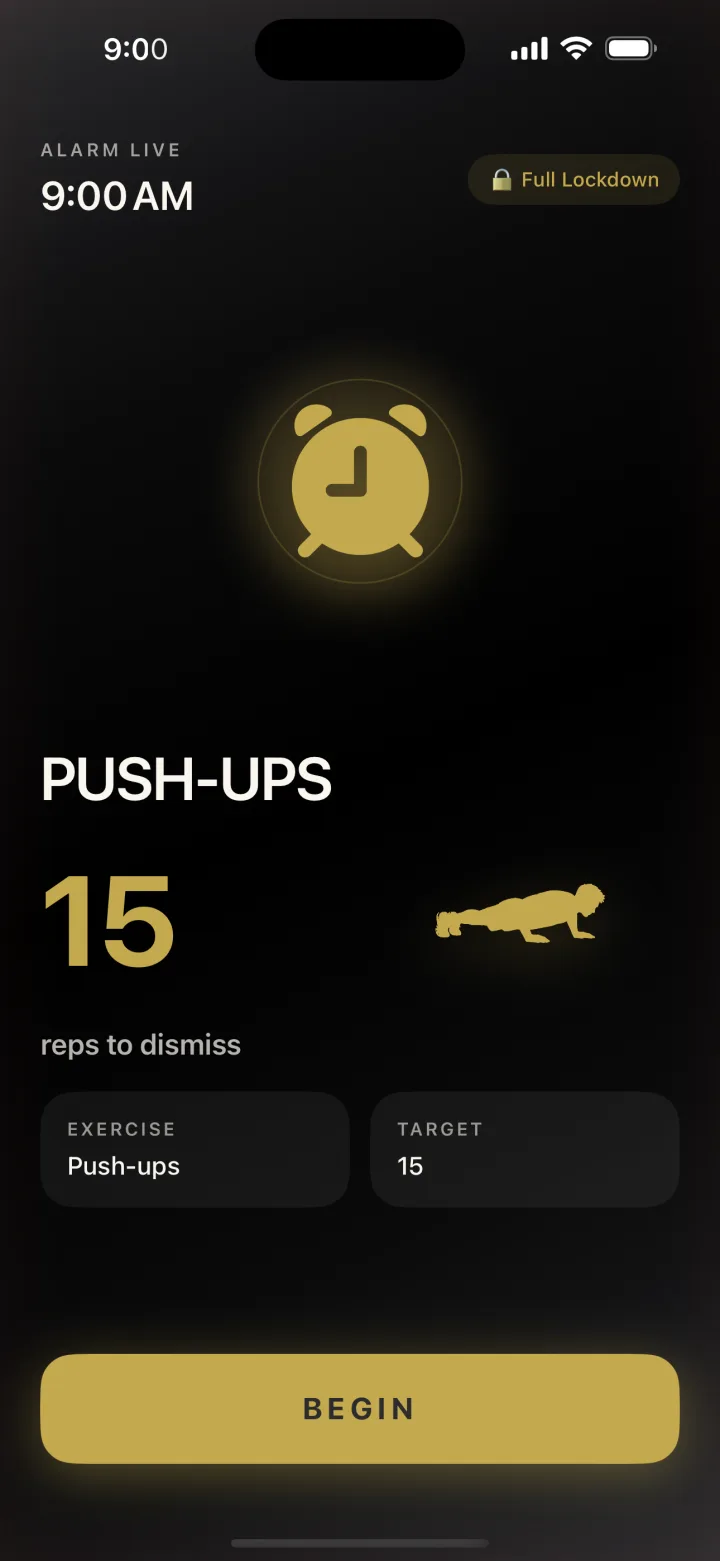
RiseReps is a workout alarm clock. When it fires, your camera counts a set of push-ups, squats, or jumping jacks, and the alarm only goes quiet when the reps are done. There's no snooze button and no tap-to-dismiss. Counting uses on-device pose detection, so frames are analyzed in real time and nothing is recorded or uploaded.
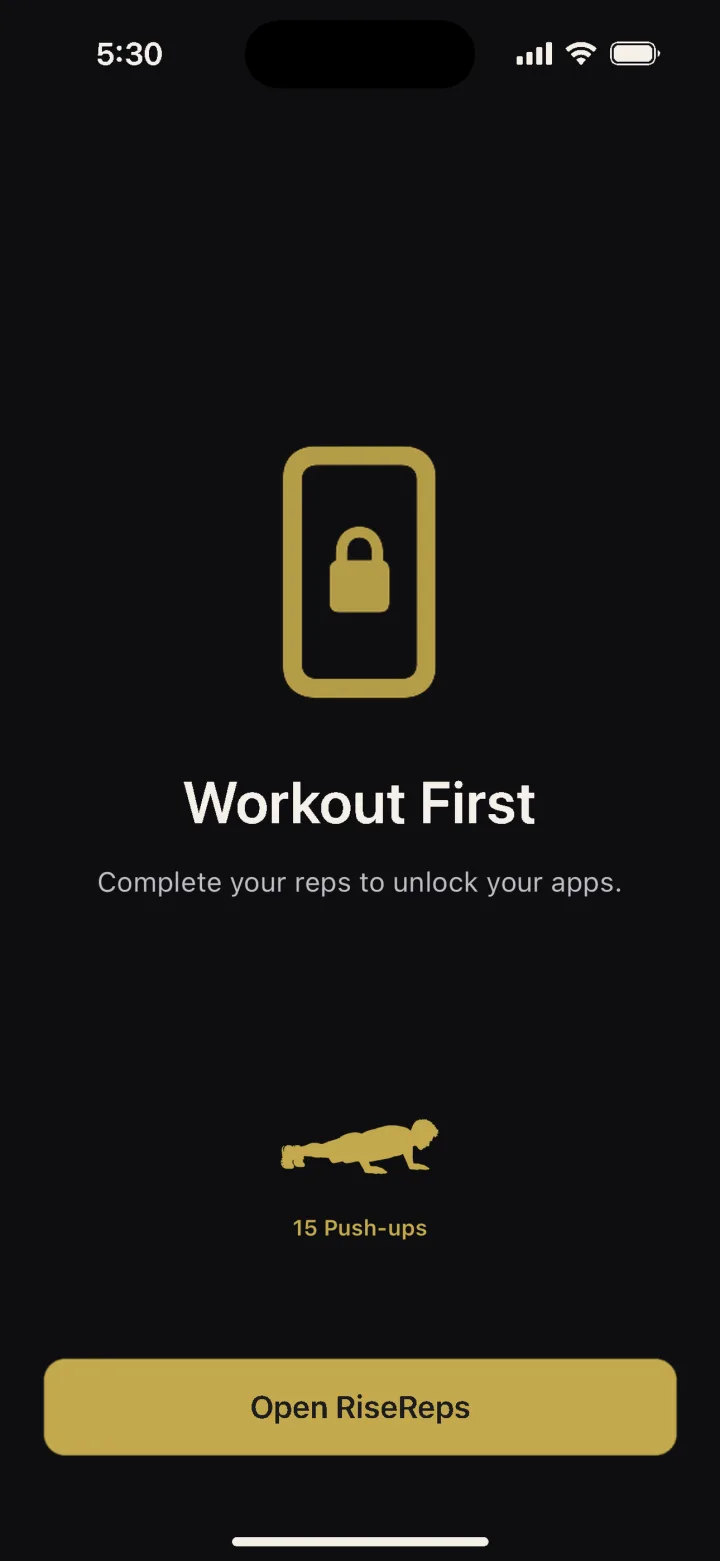
For heavy sleepers, the strictness settings are the point. Persistent mode re-fires the alarm every 60 seconds if you close the app, and optional Full Lockdown blocks your other apps until you finish. Streaks, completion rate, and an accountability partner who can send one nudge a day add a reason to keep going once the novelty wears off. Built-in progression can raise your reps each week. It's free to download, with a single annual subscription.
Watch out for: the camera needs to see you. Prop the phone 5 to 6 feet away with even light in front of you. Our push-up alarm setup guide walks through it.
RiseReps only stops when your camera counts your reps. No snooze, no tap-to-dismiss, and Persistent mode re-fires if you bail. Nothing recorded or uploaded.
2. Alarmy: best for variety
Alarmy is the best-known mission alarm and has been around for years. According to Alarmy's mission guide, it offers nine missions: math problems, memory tiles, typing, shake, squats, walking, photo, QR/barcode, and a household item hunt. Its squat mission counts reps with the camera or motion sensor. A Fall-Back-Asleep Prevention feature re-checks you a few minutes after you dismiss the alarm and restarts the mission if you don't respond. The base app is free, with a premium tier for deeper features.
Watch out for: the mission you pick decides how strong it is. Math, typing, and shake can all be done from bed. Heavy sleepers should stick to the photo, QR code, walking, or squat missions. If it isn't working for you, we compared six options in Best Alarmy Alternative for iPhone.
3. Wayk: best for lifestyle missions
Wayk, from Dialed Labs, is a newer mission alarm. Its App Store listing says the alarm "only stops when the mission is done," with missions like doing push-ups, photographing the sky, making your bed, finding a random object, and reading an affirmation aloud. It also tracks streaks.
Watch out for: the listing says a Wayk Pro subscription is needed to set alarms and use missions, so treat it as a paid app rather than a free one.
4. Sleep Cycle: best for grogginess, not snoozing
Sleep Cycle is a sleep tracker with a smart alarm. Per its help center, it estimates your sleep phase and wakes you during the lightest phase within a window you choose (10 to 30 minutes).
Watch out for: it's not designed to stop you turning it off. If your problem is dismissing alarms on autopilot, Sleep Cycle alone won't solve it.
5. The built-in iPhone Clock: best as a free backup
Apple's Clock app is free, reliable, and rings through Silent mode. You can turn snooze off per alarm and use a song as the sound. Its weakness for heavy sleepers is obvious: one tap ends it. Use it as a safety-net alarm 10 minutes after your main one, not as the main event.
How to set up any alarm if you're a heavy sleeper
The app is half the solution. Setup is the other half.
- Grant alarm permission and check Focus. Allow notifications, sounds, and Time Sensitive Notifications, and make sure no Sleep or Do Not Disturb Focus silences the app. On iOS 26, allow alarm access when asked.
- Pick a lower, harsher sound. Based on that deep-sleep study, a low buzzing tone beats a high, pretty chime. Change it every few weeks if you notice you've started tuning it out.
- Put the phone across the room. If your app needs the camera, put it where it can see the floor in front of it.
- Close every escape route. Snooze off, strictest mode you can live with, and no second "just in case" alarm 5 minutes earlier that teaches you to ignore the first.
- Plan the first 60 seconds. Lights on, feet on the floor, glass of water. Moving hard for even 30 seconds helps: in a 2021 lab study, people woken from sleep felt least sleepy after a 30-second all-out bike sprint and sleepiest when they stayed still (their test scores didn't change, so it's about feeling awake, not getting smarter).
- Protect 7 hours. The strictest alarm in the world is fighting uphill on 5 hours of sleep.
When sleeping through alarms is a health question
Being a deep sleeper is common and usually harmless. But if you regularly sleep 7 to 9 hours and still can't wake up, feel exhausted all day, snore loudly, or doze off in meetings or while driving, mention it to a doctor. Sleep disorders, medications, and other health issues can make waking harder, and no alarm app can diagnose or treat them. We break down the most common causes in Why Do I Sleep Through My Alarms? Causes and Fixes.
FAQ
What is the best alarm app for heavy sleepers on iPhone?
The best alarm app for heavy sleepers is one that rings through Silent mode and Focus and can't be turned off from bed. Camera-verified exercise alarms like RiseReps and mission alarms like Alarmy (using its photo, QR code, walking, or squat missions) meet both tests. A free option is the built-in Clock app with snooze turned off, but one tap still ends it.
Can third-party alarm apps go off when my iPhone is on silent?
Since iOS 26, yes, if the app uses Apple's AlarmKit framework and you've granted it alarm permission. Apple says these alarms break through Silent mode and the current Focus. Older apps that rely on regular notifications can still be muted, so check that your app supports system alarms.
What alarm sound is best for heavy sleepers?
A 2009 study in the Journal of Sleep Research found that low-pitched square-wave tones around 400 to 520 Hz woke people from deep sleep at lower volumes than other signals, including a high-pitched smoke alarm beep. In practice, choose a low, buzzy, harsh sound over a high chime, and change it if you start tuning it out.
Why do I turn off my alarm without remembering?
Right after waking you're in sleep inertia, a groggy state where you can act on autopilot. If the alarm only needs a tap or swipe, you can silence it before you're properly awake. Alarms that require a physical task away from the bed, like scanning a code or doing reps, make that much harder.
Is a louder alarm better for heavy sleepers?
Only up to a point. If you don't hear your alarm, a different sound and placement can help more than extra volume, and very loud sound close to your ears isn't great for your hearing. Most heavy sleepers hear the alarm but switch it off half-asleep, so a harder dismissal usually helps more than a louder one.
Sources
- Bruck D., Thomas I., Rouillard V. (2009). How does the pitch and pattern of a signal affect auditory arousal thresholds? Journal of Sleep Research. Abstract.
- Centers for Disease Control and Prevention (2016). 1 in 3 adults don't get enough sleep.
- NIOSH. Noise and occupational hearing loss.
- Apple Developer. Wake up to the AlarmKit API (WWDC25).
- Kovac K. et al. (2021). The impact of a short burst of exercise on sleep inertia. Physiology & Behavior. Abstract.
- Alarmy. How to choose the best Alarmy mission; Wayk. App Store listing; Sleep Cycle. What is the Smart Alarm Clock.